Doodle Art AI Photo Editing Prompts ChatGPT 2026: AI-generated images have completely changed the way people create content for social media. One of the biggest visual trends in 2026 is Doodle Art AI Photo Editing, where hand-drawn cartoon sketches are blended naturally into real photographs. This creative editing style gives ordinary pictures a playful and artistic appearance while maintaining a realistic look.
Whether you’re an Instagram creator, influencer, or someone who simply enjoys experimenting with AI art, doodle editing is an excellent way to make your photos stand out. In this guide, you’ll learn what doodle art AI editing is, why it has become so popular, and how you can easily create your own images using ChatGPT. We also share useful tips that help generate better AI results. At Sonu editor, we regularly explore the latest AI editing trends to help creators produce eye-catching content with minimal effort.
What Is Doodle Art AI Photo Editing?
Doodle Art AI Photo Editing is a modern editing technique that combines realistic photography with hand-drawn illustrations. Instead of manually drawing sketches around a photo, artificial intelligence creates detailed doodle elements automatically and blends them naturally into the image.
The result looks as though a professional artist carefully designed the artwork around the subject. AI understands lighting, shadows, colors, and object placement, allowing the doodle illustrations to appear as a seamless part of the original photograph.
This editing style is ideal for profile pictures, Instagram posts, YouTube thumbnails, wallpapers, and creative social media content.
Why Is Doodle Art AI Trending in 2026?
The popularity of doodle art editing continues to grow because it offers something different from traditional photo editing. While most AI edits focus on cinematic or luxury themes, doodle art introduces fun, creativity, and personality.
Some reasons behind its popularity include:
- Unique and attention-grabbing visual style.
- Higher engagement on Instagram, Facebook, and other social platforms.
- AI generates professional-quality artwork within seconds.
- No advanced editing skills are required.
- Perfect for creators looking to increase reach and audience interaction.
Since social media users naturally spend more time looking at creative images, this editing style often receives more likes, shares, and comments than ordinary photos.
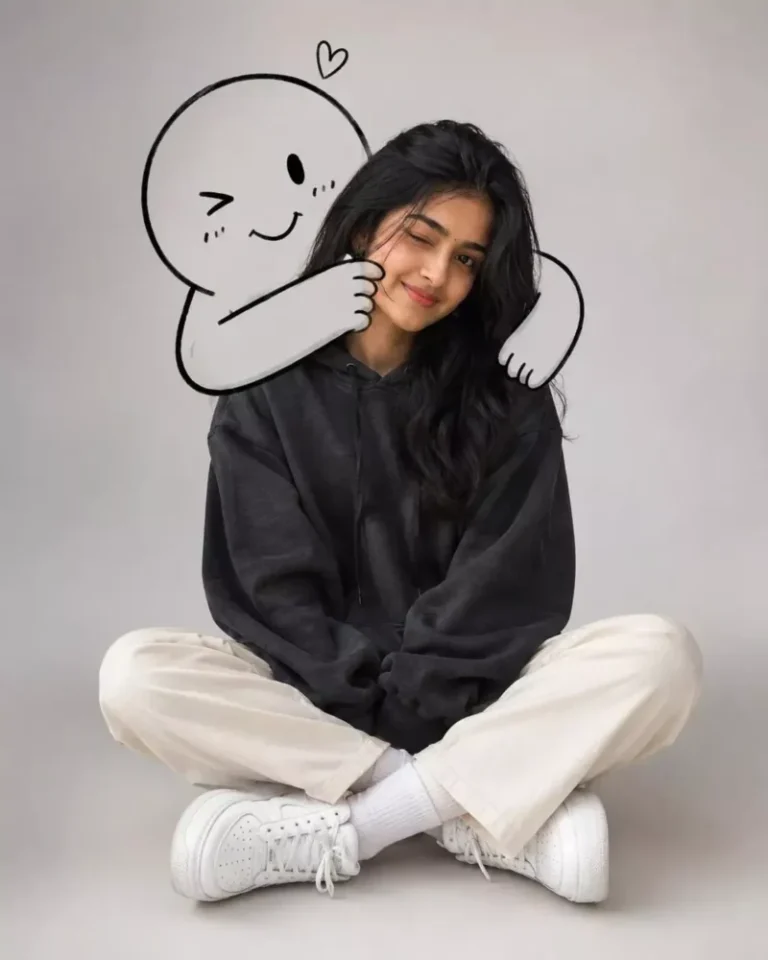
A cute minimalist portrait of a young woman sitting casually on the floor in a clean studio setting with a light grey background. She wears an oversized dark charcoal hoodie, cream straight-leg pants, white socks, and chunky white sneakers. Relaxed seated pose with crossed legs, one eye slightly closed in a playful wink and a soft smile. Behind her, a large black-and-white doodle character hugs her from behind, wrapping its cartoon arms around her shoulders and gently squeezing her cheek.
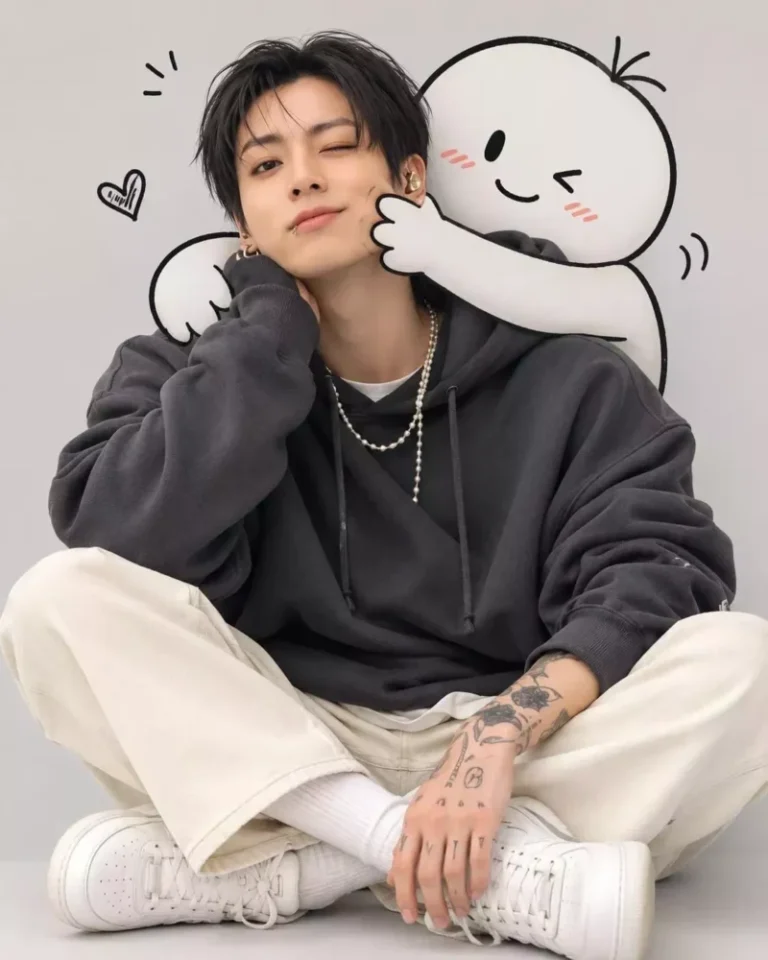
A cute minimalist portrait of a young man sitting casually on the floor in a clean studio setting with a light grey background. he wears an oversized dark charcoal hoodie, cream straight-leg pants, white socks, and chunky white sneakers. Relaxed seated pose with crossed legs, one eye slightly closed in a playful wink and a soft smile. Behind her, a large black-and-white doodle character hugs her from behind, wrapping its cartoon arms around her shoulders and gently squeezing her cheek.
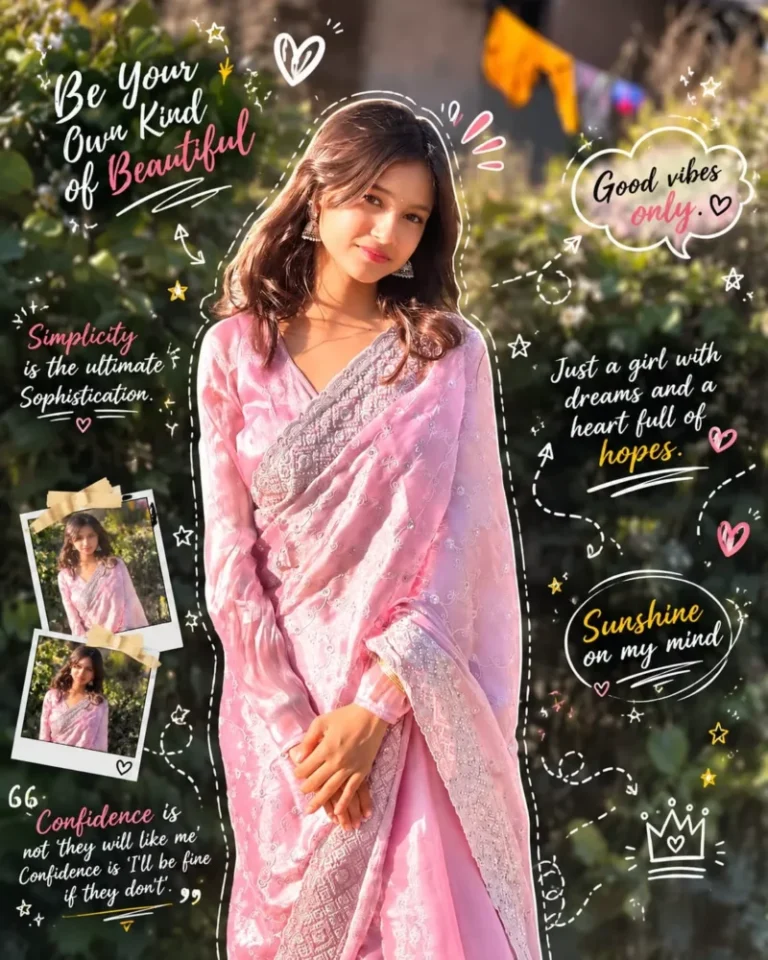
Turn your gym photo into a trendy doodle-art masterpiece. Add hand-drawn outlines, motion strokes, arrows, stars, swirls, comic accents, and playful handwritten notes layered naturally over the image. Keep the original physique, pose, and lighting intact while enhancing the scene with a clean aesthetic, subtle grain, soft morning glow, artistic annotations, and a premium Instagram editorial vibe. High-detail, creative, and visually balanced.
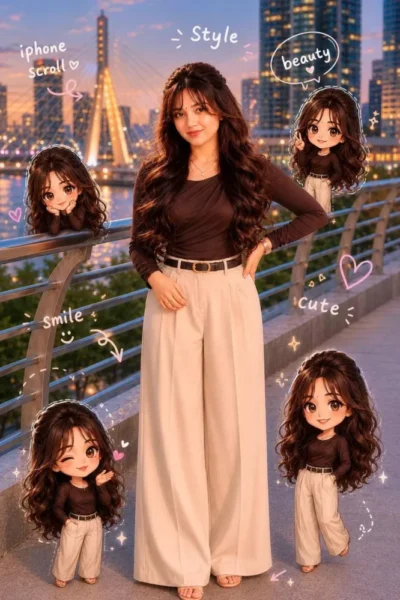
🤎🤎Use a real face as a reference photo. The background is the same as in the photo.The lighting is warm, soft, and clean, with subtle shadows.Around the image, add several mini chibi (4D cute style) versions of the character, while maintaining the original facialaesthetic handwriting such as: "style," "iphone scroll," "beauty," "smile," "cute"..etc. (casual doodle font)🤎🤎
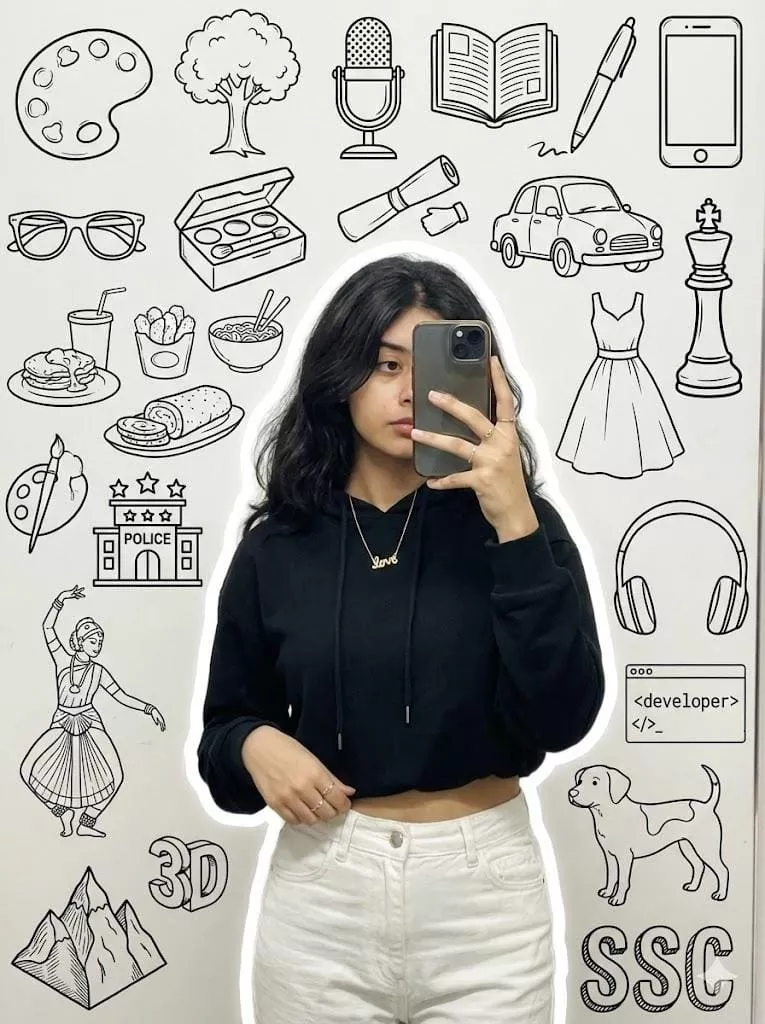
A stylish young woman taking a mirror selfie, wearing a black crop hoodie l and white pants, holding the shirt casually with one hand, minimal jewelry(love symbol), wavy hair, realistic lighting, and soft white outline glow around him. The background wall os doodle is a modern [black] aesthetic collage with elements like art palette , a tree, microphone, books, pen,mobile, specs, makeup box, car, food, dress, a kinh piece of chess board, a base of police 3 star, classical dance, headphones, developer, , dog, 3D Moutain and "SSC" doodle text in a background white solid wall., a mirror selfie. Face is slight hidden for the mobile.
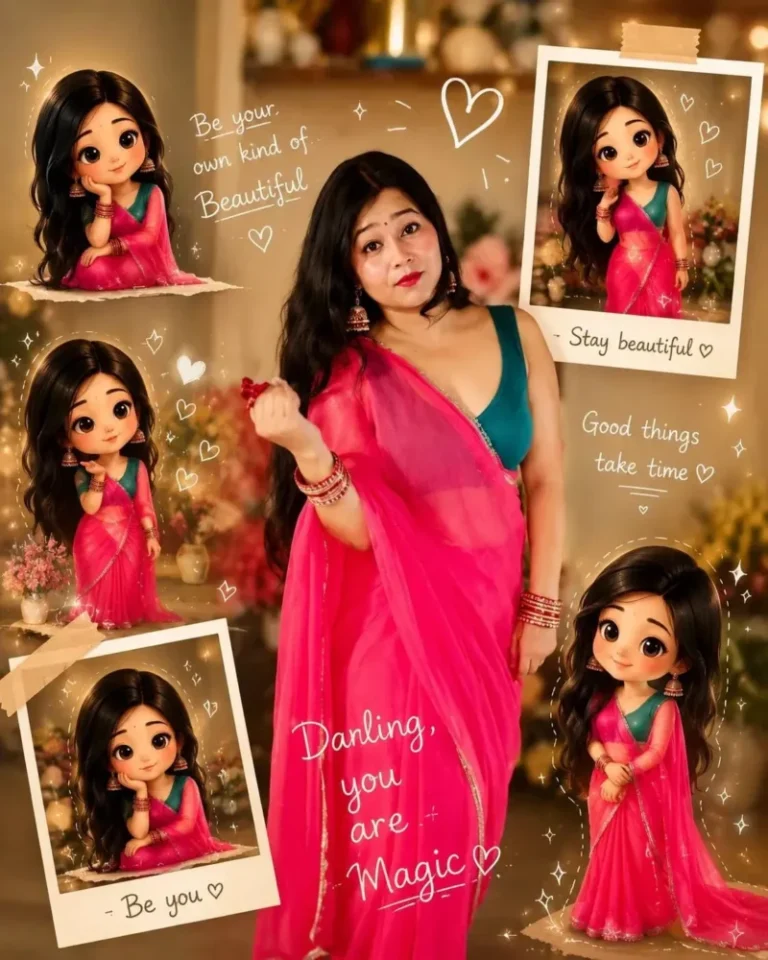
Use reference photo to create a ultra-realistic cinematic portrait of a beautiful Indian woman in elegant white saree with embroidered blouse, jasmine flowers in long black hair, looking back with sweet smile, warm aesthetic lighting, surrounded by cute 3D chibi doll versions of herself in different poses, white doodle hearts and sparkles, handwritten words, dreamy scrapbook,A stylish young woman taking a mirror selfie, wearing a black crop hoodie l and white pants, holding the shirt casually with one hand, minimal jewelry(love symbol), wavy hair, realistic lighting, and soft white outline glow around him. The background wall os doodle is a modern [black] aesthetic collage with elements like art palette , a tree, microphone, books, pen,mobile, specs, makeup box, car, food, dress, a kinh piece of chess board, a base of police 3 star, classical dance, headphones, developer, , dog, 3D Moutain and "SSC" doodle text in a background white solid wall., a mirror selfie. Face is slight hidden for the mobile.
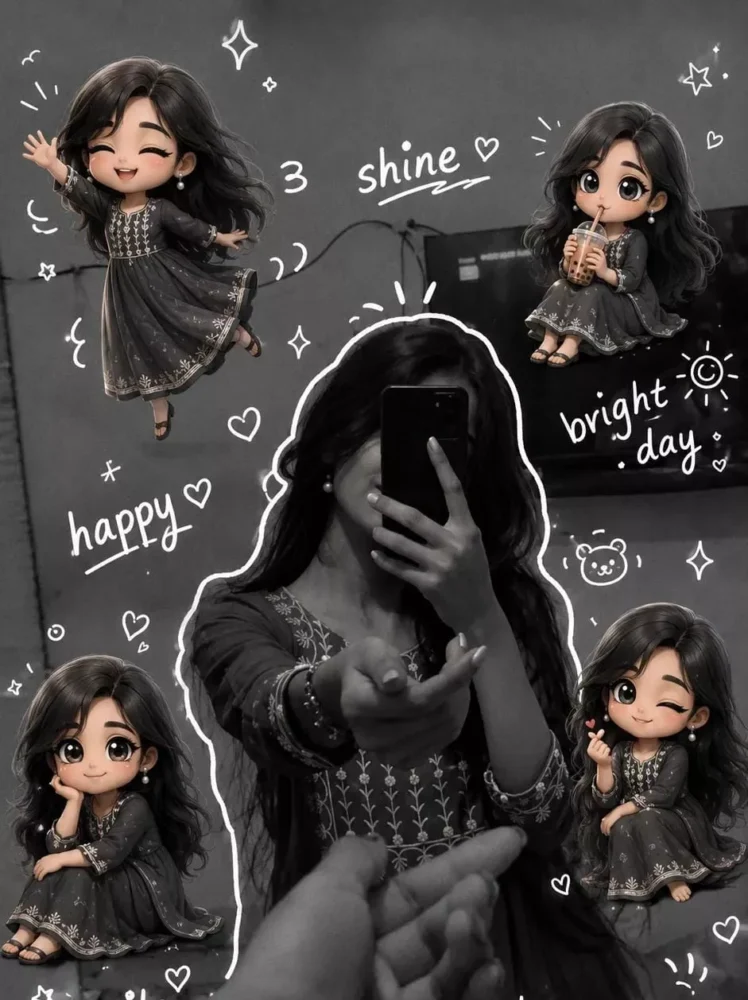
Around the image, add several mini chibi (3D cute style) versions of the character, While maintaining the original facial features. expressions: jumping cheerfully waving sitting relaxed holding a drink cute and playful expressions Add hand-drawn white doodle elements: outline around the main body stars, hearts, sparkles motion lines small cute icons Add aesthetic handwriting such as: "shine, "bright day,"happy,"smile" etc. (casual doodle font) Overall style: clean & aesthetic composition White
Main Features of Doodle Art AI Editing
One of the biggest advantages of this trend is that your original facial features remain realistic. AI preserves your identity while adding creative sketch illustrations around your body, background, or accessories.
Some key highlights include:
- Realistic facial details remain untouched.
- Hand-drawn doodle elements blend naturally.
- High-quality AI-generated illustrations.
- Fast image generation.
- Beginner-friendly workflow.
- Excellent for viral social media content.
The final image looks artistic without appearing fake, making it suitable for both personal and professional use.
How to Create Doodle Art AI Images with ChatGPT
Creating a doodle art image is surprisingly simple when using ChatGPT’s AI image generation feature.
Follow these steps:
- Copy a high-quality Doodle Art AI prompt.
- Open ChatGPT and switch to image generation mode.
- Upload a clear, high-resolution reference photo.
- Paste the prompt into the chat.
- Click the Generate button.
- Wait a few moments while AI creates your customized doodle artwork.
- Download the image and share it on your favorite social media platforms.
For the best outcome, use bright, sharp images with good lighting. AI performs significantly better when the uploaded photo clearly shows your face and body. You can also discover more AI editing tutorials and prompt collections on Sonu editor.
Tips for Better AI Results
If you want professional-looking doodle art images, keep these suggestions in mind:
- Upload high-resolution photos.
- Avoid blurry or dark images.
- Use simple backgrounds whenever possible.
- Write detailed prompts with clear instructions.
- Mention the desired doodle style, colors, and composition.
- Experiment with different prompt variations until you achieve your preferred result.
Small improvements in your prompt can dramatically improve the final AI-generated image.
Final Thoughts
Doodle Art AI Photo Editing is one of the most creative image-generation trends of 2026. By combining realistic portraits with artistic sketch illustrations, AI produces stunning images that immediately capture attention on social media.
Whether you’re creating content for Instagram, YouTube, or personal projects, this editing style offers an easy way to produce unique visuals without requiring advanced editing software or design skills. Simply upload a quality photo, use a detailed ChatGPT prompt, and let AI transform your image into an eye-catching doodle masterpiece.
Frequently Asked Questions (FAQs)
1. What is Doodle Art AI Photo Editing?
It is an AI-powered editing technique that combines realistic photographs with hand-drawn doodle illustrations to create unique artistic images.
2. Can I create doodle art images using ChatGPT?
Yes. ChatGPT’s AI image generation feature can create high-quality doodle art images when provided with a detailed prompt and a clear reference photo.
3. Do I need editing experience?
No. Beginners can easily generate doodle art images because AI handles the drawing and blending automatically.
4. Which photo works best for AI generation?
A high-resolution image with good lighting and a clear view of your face usually produces the best results.
5. Why are doodle art photos becoming viral?
They are visually unique, attract more attention on social media, and often receive higher engagement compared to ordinary images.
6. Can I use these images commercially?
Usage depends on the AI platform’s terms of service. Always review the licensing policy before using generated images for commercial purposes.
7. Which social media platforms are best for sharing doodle art?
Instagram, Facebook, Pinterest, Threads, and YouTube Shorts are among the best platforms for showcasing doodle art AI images.
8. Can I customize the doodle style?
Yes. You can describe colors, sketch style, objects, themes, backgrounds, and artistic details within your prompt to generate personalized results.