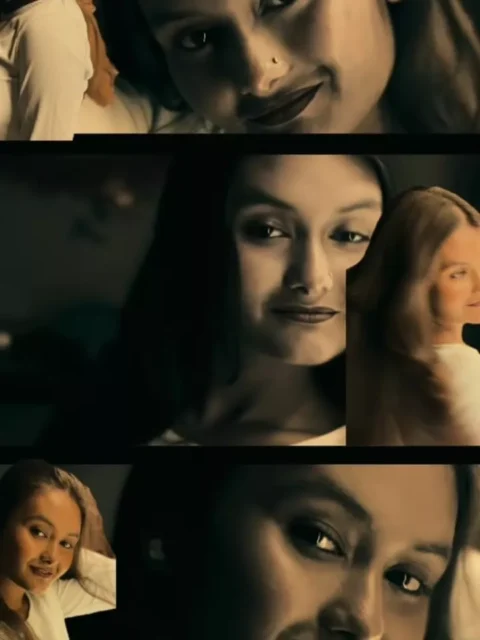
Retro-style photo and video edits are becoming a popular choice for Reels creators. The classic fashion, warm colors, vintage hairstyles, and old-film appearance can turn an ordinary photo into an eye-catching retro edit.
If you want to recreate this style, Trending 80s Look Reels Editing With VN Code 2026 can make the process much easier. Instead of manually adding every transition, effect, beat, and filter, you can use a prepared VN Code and customize it with your own photos.
The VN template provides the basic editing structure. You only need to add your 80s-style images or video clips, preview the result, and export your final Reel.
What Is an 80s Look VN Code Template?
An 80s Look VN Code Template is a pre-designed editing project created for the VN Video Editor. It helps users make retro-inspired videos without building an entire project from scratch.
Depending on the template, it may contain preset transitions, effects, filters, music synchronization, clip timing, text styles, and other visual elements.
After importing the VN Code, you can replace the existing media with your own photos or short videos. This makes the template useful for beginners as well as creators who want to produce Reels quickly.
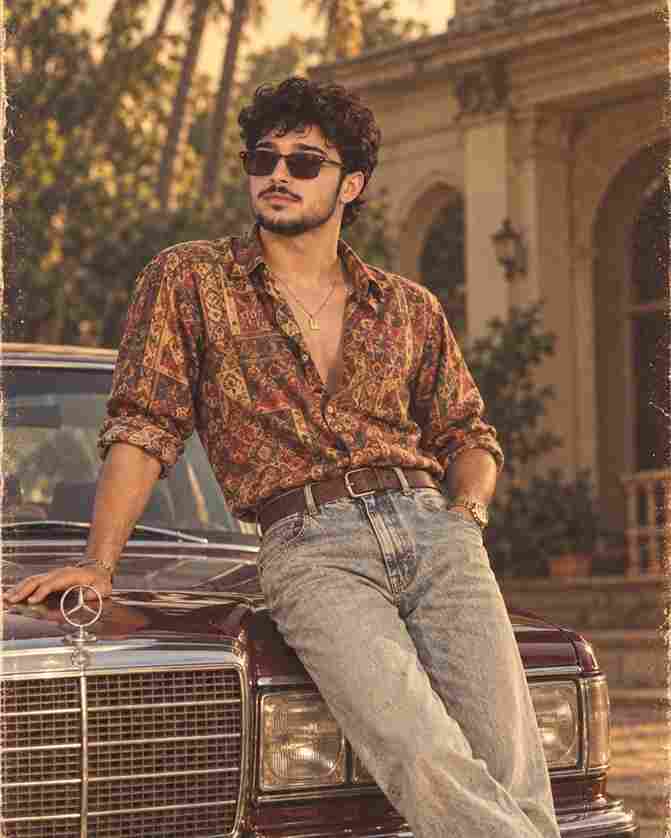
Portraits, couple photos, family memories, fashion pictures, travel shots, and AI-generated 80s images can all work with this editing style.
New Trending VN Code Templates
Create an 80s Look Image and Make a Reel With VN Code
Before creating the Reel, you can first transform your normal photo into an 80s retro-style image using ChatGPT.
Open ChatGPT and upload the photo you want to edit. Use the provided 80s image prompt and generate your retro-inspired picture. You can experiment with vintage outfits, classic hairstyles, old-school backgrounds, film photography, and other 1980s elements.
Once your image is ready, save it to your device.
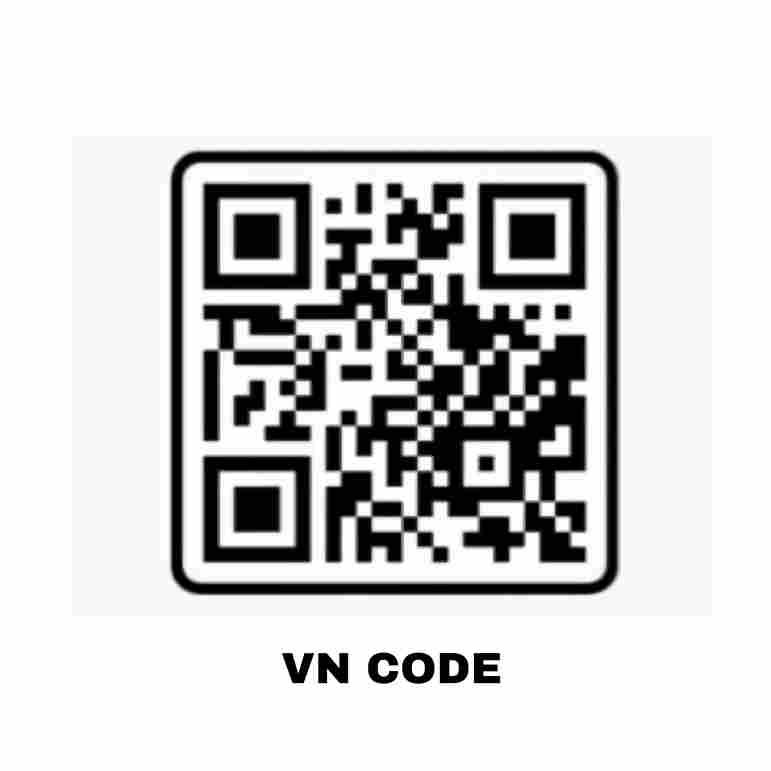
Next, return to this page and take a clear screenshot of the provided VN Code. Open the VN Video Editor and use its scanning/import feature to load the code.
Select your newly created 80s image and replace the required media inside the template. The existing editing sequence will help turn your retro picture into a complete Reel.
Best 80s Bollywood Songs for Retro Reels
Music can completely change the mood of an 80s Look Reel. A classic Bollywood track can complement vintage clothing, hairstyles, colors, and film-inspired effects.
Here are five songs you can consider:
- Meri Umar Ke Naujawano — Karz (1980)
- Mere Rang Mein Rangne Wali — Maine Pyar Kiya (1989)
- Saagar Kinare Dil Yeh Pukare — Saagar (1985)
- Dil Chura Liya — Qayamat Se Qayamat Tak (1988)
- De De Pyaar De — Sharaabi (1984)
Choose a song according to the mood of your photos. Romantic pictures can work well with softer tracks, while energetic retro portraits may look better with upbeat music.
Always make sure you have the appropriate rights or platform permission to use copyrighted music in your Reel.
How to Use Trending 80s Look VN Code
You do not need advanced editing knowledge to use the template. Follow these steps:
- Open Google on your phone.
- Search for Prompt Seen.
- Visit the Prompt Seen website.
- Search for Trending 80s Look Reels Editing With VN Code.
- Open the relevant post.
- Scroll down until you find the VN Code.
- Take a clear screenshot of the code.
- Open the VN Video Editor app.
- Find the scanner or code import option.
- Scan or import the VN Code screenshot.
- Open the imported 80s Look editing project.
- Tap Use Template if the option appears.
- Select your preferred photos or short video clips.
- Replace the sample media with your own content.
- Preview the video and check its transitions, effects, and timing.
- Make any available changes you want.
- Export the completed retro Reel to your device.
The exact buttons or options may differ depending on the version of the VN Video Editor installed on your device.
Choose the Best Photos for Your 80s Look Edit
Selecting suitable photos is just as important as choosing a good template. Even an impressive VN Code may not produce the desired result when the source images are blurry or poorly framed.
Try using sharp photos with clearly visible faces and balanced lighting. Portrait photography works particularly well for this type of retro transformation.
You can also experiment with family photographs, fashion portraits, couple pictures, travel memories, and lifestyle shots.
For an authentic 1980s appearance, consider generating images featuring vintage hairstyles, retro clothing, warm film tones, old photography textures, and backgrounds inspired by that era.
Avoid adding too many unrelated images to one video. A consistent visual theme usually makes the final Reel look cleaner and more professional.
Make Your 80s Reel Look More Attractive
Small details can improve the overall appearance of your video.
When generating an AI image, focus on creating a realistic retro look rather than simply applying an old-photo filter. Clothing, hairstyles, accessories, background elements, lighting, and photography style can all contribute to the 1980s aesthetic.
After adding your images to the 80s Look VN Template, watch the complete video before exporting it. Check whether each transition matches the music and whether important parts of your photos remain visible.
If the template allows customization, you can adjust individual clips to achieve a more natural result.
Share Your 80s Look Reel on Instagram
After exporting your video, watch it once in full quality before uploading it to Instagram Reels or another social platform.
You can create a short caption around retro fashion, vintage memories, old Bollywood, or the 1980s aesthetic. Adding a few relevant hashtags can also make the topic of your content easier to understand.
Instead of publishing the first version immediately, try creating two or three variations using different photos. Compare them and upload the version that looks the most natural and visually appealing.
A combination of realistic retro images, suitable music, smooth transitions, and good-quality export settings can make your Trending 80s Look Reel much more engaging.
Final Words
Trending 80s Look Reels Editing With VN Code 2026 provides a convenient way to create vintage-inspired Reels without manually designing every part of the edit.
You can first generate an 80s-style version of your photo with ChatGPT and then use the VN Code to turn that image into a complete video. The prepared template can handle much of the timing, transitions, effects, and overall editing structure.
Experiment with different photographs, retro outfits, hairstyles, backgrounds, and songs until you find a combination that matches the look you want.
With the right images and a suitable VN template, you can create a stylish 80s-inspired Reel in just a few simple steps.