The Sad Bhojpuri CapCut Template is designed for people who want to create emotional Bhojpuri reels with trending video effects. Edited videos are becoming increasingly popular on social media, whether they feature attitude scenes, emotional moments, or sad songs. This template follows a viral Bhojpuri sad-video style and makes the editing process much easier. Instead of creating every effect manually, you can add your clips to the template and prepare an emotional video in a short time.
Details of Sad Bhojpuri CapCut Template
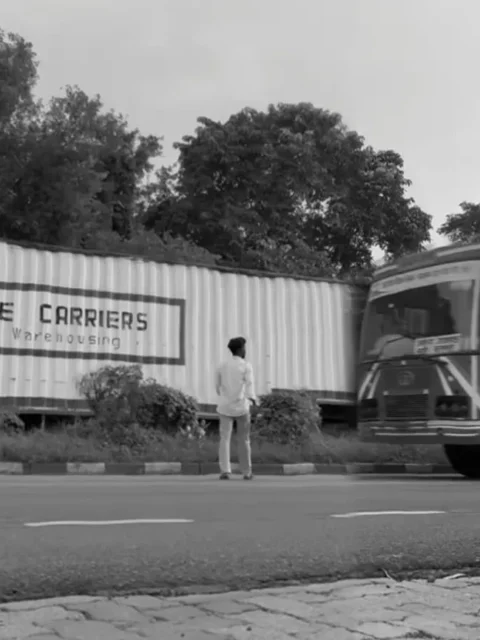
This template comes with pre-designed effects and transitions that automatically apply to your clips. The video style combines emotional scenes with slow-motion editing. In the preview, the video begins with a man slowly running along a road. When he reaches the middle, a large truck comes toward him. At this moment, the scene freezes and changes to a black-and-white look. Effects such as vibration, flash vibration, and golden glow are also included to make the edit more dramatic.
How to Prepare Clips for Video Editing?
Before using the Sad Bhojpuri CapCut Template, prepare suitable clips that match the emotional mood of the video. You can record yourself walking slowly with a sad expression or create a clip on an empty road. For another scene, record a vehicle passing along the road. Once both clips are ready, you can add them to the template. The template link is available through the “Check Template” button provided below the image, where you can preview the editing style before using it.
Note: Some CapCut templates may not work in certain regions due to CapCut restrictions. If the Use Template button doesn’t open, please try again later or open the link directly in the official CapCut app. The button will take you to the original CapCut template. We are not affiliated with CapCut, and all templates, logos, and trademarks belong to their respective owners. We only share publicly available template links for users’ convenience.
How to Use Sad Bhojpuri CapCut Template
Using this template is simple. First, install and open the CapCut application on your phone. Go to the Discover section and use the search option to look for the template by its name. If you find it, open the template and start editing. If it does not appear in search, use the “Check Template” button available on the website. This will open the template preview in the application.
Create Your Sad Bhojpuri Video
After opening the template, tap the “Use” button and select the required video clips from your phone. Add the number of clips requested by the template and arrange them in the appropriate places. Once everything is selected, tap Next and allow the template to process your video. The effects, slow motion, filters, vibration, and other editing elements will be applied automatically, helping you create the same type of emotional Bhojpuri edit shown in the template preview.
Conclusion
The Sad Bhojpuri CapCut Template is a convenient option for creating an emotional Bhojpuri video without spending much time on manual editing. You only need to prepare suitable clips, open the template, add your videos, and complete the process. The ready-made effects make the editing process simple even for beginners. If you enjoy creating sad Bhojpuri reels and want to follow this editing style, you can use the method explained above to prepare your video easily.